National Geographic XR app simulation
a simulation of an XR app designed for Meta Quest 3 VR glasses, developed as part of my master’s program. the project focused on creating an intuitive and immersive user interface, following best practices for XR environments.

the challenge
designing an intuitive UI for mixed reality environments that enables direct touch and point-and-pinch interactions without controllers. the challenge is to create an optimal UI placement, sizing, and interaction methods to enhance usability across XR platforms.
by applying spatial computing principles and XR design best practices, the interface must prioritize clarity, responsiveness, and user immersion. the final prototype will be tested in shapesXR to validate performance, ensuring smooth navigation and seamless interactions.
| brief
design a cross-platform XR app for National Geographic, allowing users to explore traditional and 360º media content without controllers.
| tools used
Figma, ShapesXR, Meta Quest 3
the process
to bring this XR app simulation to life, I followed a structured design process that combined research, prototyping, and immersive testing.
| research and guidelines
analyzed XR UI best practices from sources like Meta Horizon OS, Apple VisionOS, and FloatGrids UI design systems.
| wireframing
developed low-fi wireframes to define layout, navigation, and interaction models.
| hi-fi prototyping and XR implementation
crafted high-fidelity prototypes in Figma, then translated them into XR using ShapesXR to simulate real-world interactions within the Meta Quest 3 environment.

the deliverables
| Figma prototypes
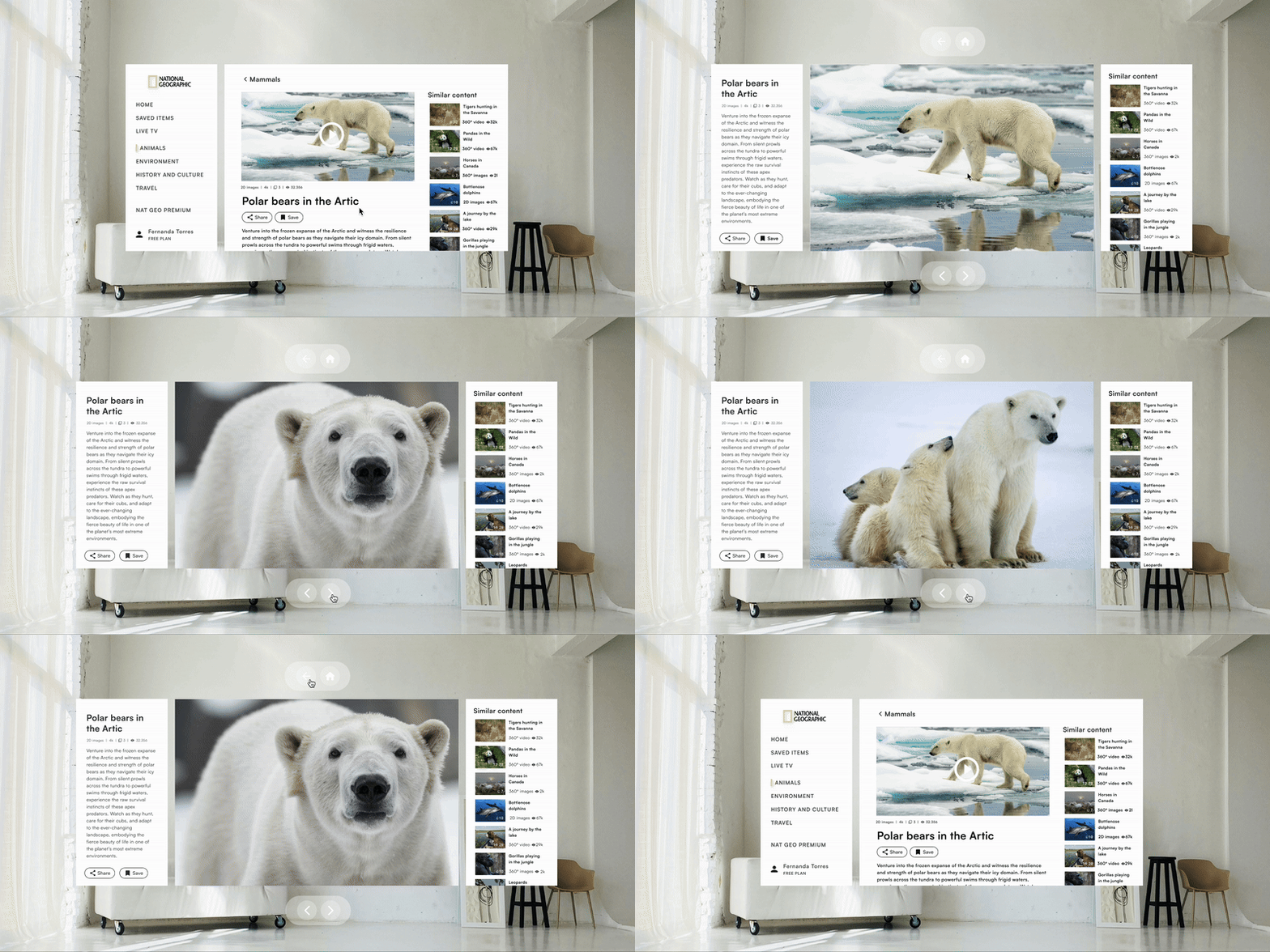
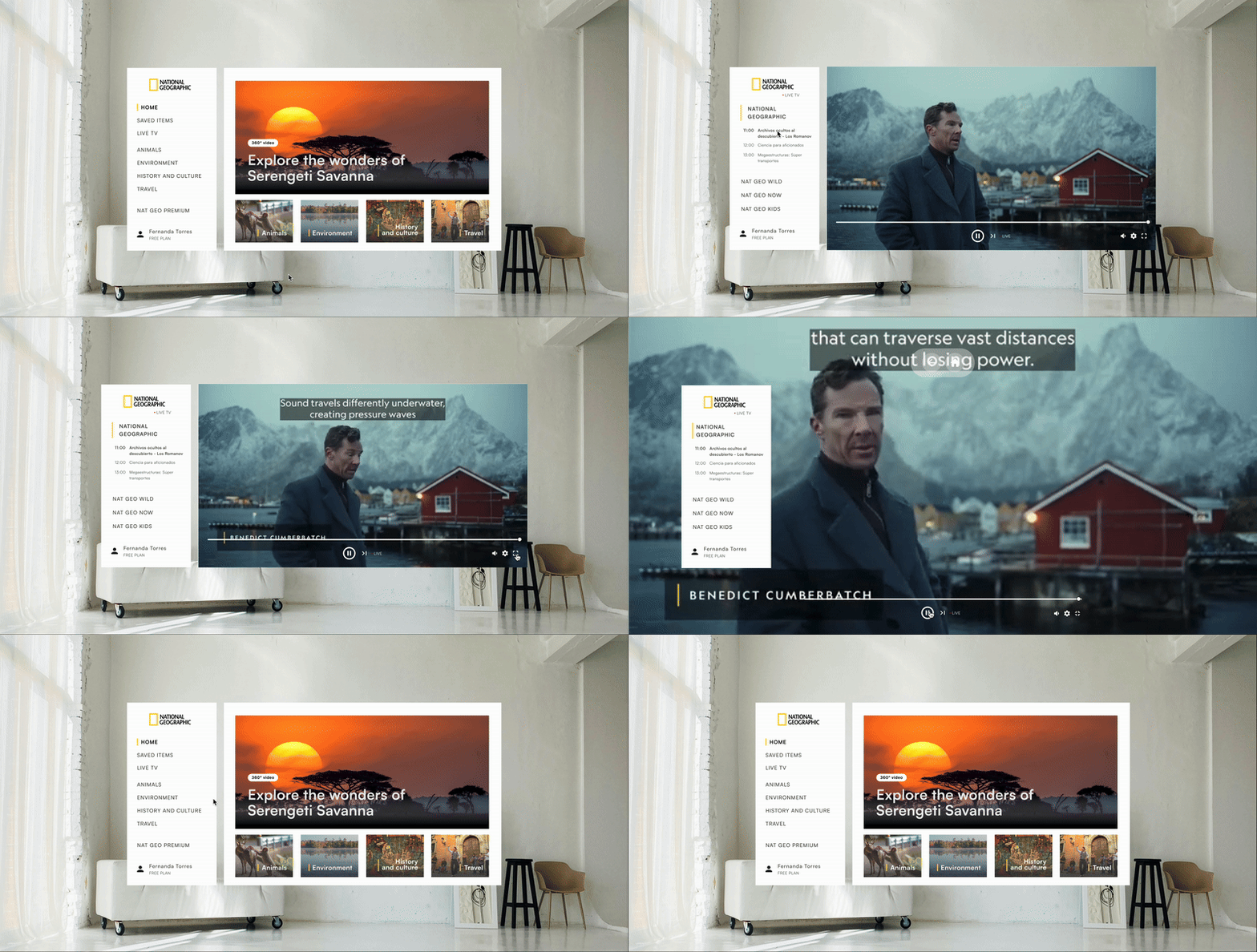
to bring the XR app concept to life, I developed a high-fidelity prototype in Figma, focusing on usability, spatial ergonomics, and intuitive navigation. the design follows best practices for XR interfaces, ensuring seamless interactions through direct touch and point-and-pinch gestures.

| XR prototype in shapesXR
to translate the high-fidelity design into an immersive experience, I built an prototype in ShapesXR. this step allowed me to test UI placement, interaction ergonomics, and depth perception within a realistic VR environment.
by importing the Figma design into ShapesXR, I simulated user interactions, ensuring that elements were positioned at appropriate distances for comfortable and intuitive navigation on the Meta Quest 3 headset.

results
while this project was a simulation, it allowed me to deepen my understanding of XR design principles, UI ergonomics, and prototyping for VR environments. working with Meta Quest 3 also gave me hands-on experience translating static designs into immersive, interactive applications.